
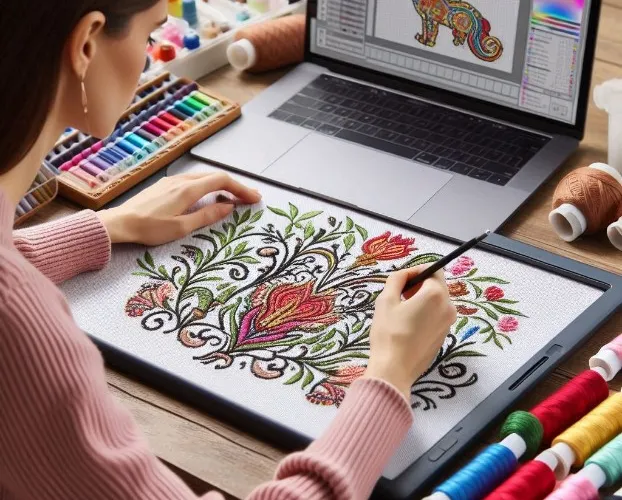
Introduction: Your First Step into Digital Stitching
You’ve seen beautifully embroidered designs on hats, jackets, and corporate polos and wondered how those perfect stitches translate from digital artwork to physical fabric. The magic happens through a process called digitizing embroidery—the art of converting digital artwork into a language your embroidery machine understands. While it might seem intimidating at first, learning to digitize opens up a world of creative possibilities. You gain the freedom to create custom designs, personalize items, and bring your unique ideas to life in thread. This comprehensive guide walks you through everything you need to know to start creating professional-quality embroidery designs, even if you’ve never opened digitizing software before.
What Exactly is Embroidery Digitizing?
At its core, digitizing embroidery is the process of creating a set of instructions that tell an embroidery machine exactly how to recreate a design using thread. Think of it as creating a detailed roadmap for your machine’s needle—every movement, every stitch type, every color change is carefully planned and programmed.
Unlike simply converting a JPEG to a different file format, true digitizing involves making artistic and technical decisions about how each element of your design will translate into stitches. Your embroidery machine doesn’t understand images—it understands commands. The digitizing process creates those commands, determining everything from the type of stitches used to the order in which different elements are sewn.
Essential Tools You’ll Need to Get Started
Before you begin your digitizing journey, you’ll need a few key tools. The good news is that you don’t need to invest thousands of dollars to get started.
Digitizing Software Options
Your software choice will be your most important decision. Options range from beginner-friendly to professional-grade:
- Free Options: Programs like Ink/Stitch (an Inkscape extension) offer solid starting points without financial commitment
- Beginner Software: Embrilliance Essentials provides user-friendly tools at an affordable price
- Professional Grade: Wilcom Hatch offers industry-standard features with a steeper learning curve
Computer Requirements
While you don’t need a supercomputer, your system should have:
- Adequate RAM (8GB minimum, 16GB recommended)
- A decent processor for smooth software operation
- Enough storage space for your design files and software
- A graphics card that supports your chosen software
Learning Resources
Don’t underestimate the value of education:
- Online tutorials and video courses
- Software documentation and user manuals
- Practice designs and sample files
- Community forums for asking questions
Understanding the Three Basic Stitch Types
Mastering digitizing embroidery begins with understanding the three fundamental stitch types that form the building blocks of all embroidery designs.
Run Stitches
These are the simplest stitch type—single needle movements that create lines. Use run stitches for:
- Fine details and outlining
- Small text and delicate elements
- Adding subtle details to larger designs
- Creating stem-like structures in floral designs
Satin Stitches
Characterized by their glossy, raised appearance, satin stitches use zigzag patterns to create columns. They’re perfect for:
- Text and lettering of all sizes
- Borders and defining edges
- Narrow design elements
- Creating smooth, shiny surfaces
Fill Stitches
Also known as tatami stitches, these cover larger areas with parallel rows of stitching. Use fill stitches for:
- Background areas and large shapes
- Creating texture through stitch direction changes
- Solid coverage of expansive design elements
- Building foundation layers for complex designs
The Step-by-Step Digitizing Process
Now let’s walk through the basic process of creating your first embroidery design from start to finish.
Step 1: Import and Prepare Your Artwork
Begin by importing your source image into your digitizing software. Clean, simple designs with clear boundaries work best for beginners. Vector files (like SVG or AI) give you the cleanest starting point, but you can work with high-quality JPEG or PNG files too.
Step 2: Create Your Outline
Using the tools in your software, trace the main shapes of your design. Most programs offer both manual tracing tools and auto-trace functions. While auto-trace can save time, manual tracing often produces better results as you learn the craft.
Step 3: Assign Stitch Types
Go through each element of your design and assign the appropriate stitch type. Ask yourself: Should this be a run stitch for fine details? A satin stitch for text? A fill stitch for large areas? This is where your understanding of the three basic stitch types comes into practice.
Step 4: Set Stitch Parameters
Adjust the settings for each element:
- Density: How closely spaced the stitches are
- Stitch Length: Particularly important for run stitches
- Underlay: The foundation stitches that stabilize your design
- Pull Compensation: Adjustments for fabric movement during stitching
Step 5: Establish Stitching Sequence
Determine the order in which your design will stitch out. The general rule is to stitch background elements first, then build upward to foreground details. Proper sequencing prevents registration issues and creates cleaner results.
Common Beginner Mistakes and How to Avoid Them
Every new digitizer makes mistakes—it’s part of the learning process. Being aware of these common pitfalls helps you avoid them.
Overcomplicating Designs
- Mistake: Trying to digitize highly detailed, complex artwork as your first project
- Solution: Start with simple shapes and gradually work toward more complex designs
- Better Approach: Choose designs with clear boundaries and limited colors for practice
Ignoring Fabric Considerations
- Mistake: Using the same settings for every fabric type
- Solution: Learn how different fabrics behave and adjust your digitizing accordingly
- Better Approach: Test your designs on the actual fabric you plan to use
Skipping the Testing Phase
- Mistake: Assuming your digital preview will match your stitched results
- Solution: Always stitch out your designs before using them on final projects
- Better Approach: Keep scrap fabric handy for testing every new design
Practice Projects to Build Your Skills
The best way to learn digitizing embroidery is through hands-on practice. These starter projects will help you build fundamental skills.
Simple Monogram
Start with a single-letter monogram to practice:
- Basic shape creation
- Satin stitch application
- Density adjustments
- Hooping considerations
Geometric Shape Designs
Create designs using basic shapes to master:
- Fill stitch applications
- Stitch direction effects
- Registration between elements
- Color sequencing
Basic Text Layouts
Practice with different font styles to understand:
- Text spacing and sizing
- Legibility considerations
- Stitch type selection for different fonts
- Alignment and positioning
Understanding Design Limitations
Even experienced digitizers face limitations in what embroidery can achieve. Understanding these constraints early will save you frustration.
Size Matters
The size of your final embroidery affects what you can achieve:
- Small designs (under 2 inches) work best with simple elements
- Medium designs (2-4 inches) can handle moderate detail
- Large designs (over 4 inches) accommodate complex artwork
Detail Preservation
Some elements simply don’t translate well to embroidery:
- Very small text becomes unreadable
- Extremely fine lines may break or disappear
- Photographic details rarely stitch well
- Complex gradients become solid color blocks
Color Limitations
While thread comes in thousands of colors, embroidery has practical color constraints:
- Each color change increases production time
- Very similar colors may look identical when stitched
- Complex color blends don’t translate directly
Moving Beyond the Basics
Once you’ve mastered the fundamentals, you can explore more advanced techniques that elevate your digitizing embroidery skills.
Advanced Stitch Techniques
Explore specialty stitches like:
- Steil stitches for unique textural effects
- Pattern fills for decorative backgrounds
- Complex underlay for challenging fabrics
- Manual stitch editing for perfecting problem areas
Software-Specific Features
As you advance, learn to use:
- Auto-digitizing functions (with careful oversight)
- Stitch simulator tools for previewing results
- Library creation for storing frequently used elements
- Advanced editing tools for fine-tuning designs
Professional Workflows
Develop efficient processes for:
- File organization and management
- Quality control procedures
- Client communication and revision handling
- Production optimization
Conclusion: Your Journey to Mastering Embroidery Digitizing
Learning digitizing embroidery is a journey that rewards patience and practice. Like any skilled craft, it takes time to develop the eye for detail and technical understanding needed to create professional-quality designs. But with each project, you’ll build confidence and skill, gradually transforming from a beginner to a competent digitizer.
Remember that even the most experienced digitizers started exactly where you are now—facing their first design with a mix of excitement and uncertainty. The key is to start simple, practice regularly, and don’t get discouraged by early mistakes. Every misstitched design teaches you something valuable about how thread, fabric, and software interact.
Your embroidery machine is waiting to bring your creations to life. With the foundation you’ve gained from this guide, you’re ready to start your digitizing journey. Open your software, import your first design, and take that exciting first step toward creating custom embroidery that truly reflects your vision. The world of digital stitching is rich with creative possibilities—your perfect designs are just a few stitches away.