
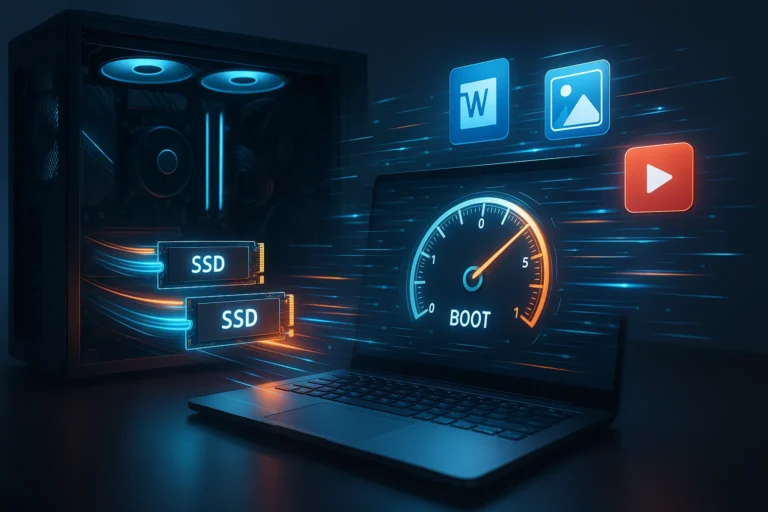
In the fast-paced world of computing, speed is everything. Whether you are a professional working on complex projects, a gamer chasing high frame rates, or a casual user managing daily tasks, the responsiveness of your system directly impacts productivity and experience. One of the most significant factors influencing this speed is your storage drive. Solid State Drives, or SSDs, have revolutionized the way computers handle data. In this article, we explore how SSDs affect boot times and application load speeds, why they outperform traditional hard drives, and what you should consider when choosing an SSD.
Understanding SSD Technology
Before diving into performance metrics, it is essential to understand what makes SSDs different from conventional Hard Disk Drives. Unlike HDDs, which rely on spinning magnetic disks to read and write data, SSDs use flash memory chips. This architecture allows SSDs to access data almost instantaneously, with no moving parts involved. Brands like Samsung, Western Digital, and Crucial have developed SSDs that provide exceptional speed, reliability, and durability.
This fundamental difference in design is the first reason SSDs affect overall system performance. While an HDD may take several seconds to locate and retrieve a file, an SSD can perform the same task in milliseconds. This speed translates directly into faster boot times, quicker file transfers, and smoother application launches.
How SSDs Affect Boot Times
Boot time is the period from powering on your computer to reaching a fully operational desktop. Traditional HDDs often struggle here because their mechanical nature limits the speed at which the system can access the operating system files. In contrast, SSDs load the operating system from flash memory almost instantaneously.
When an SSD is installed, users frequently notice a dramatic reduction in boot time. For example, a system with a standard HDD might take anywhere from 45 to 60 seconds to boot into Windows 10 or 11. Upgrading to an SSD can reduce this to under 20 seconds. MacBook users also benefit significantly, as Apple’s M.2 NVMe SSDs accelerate macOS boot times, enhancing overall user experience.
The performance impact extends beyond just speed. Faster boot times improve workflow efficiency, reduce frustration, and provide a smoother start to your computing day. This improvement makes SSDs a must-have for professionals who need immediate access to their systems.
SSDs Affect Application Load Speeds
Booting is just one aspect of computer speed. How quickly applications load also has a substantial impact on productivity. Traditional HDDs must physically spin and position read/write heads to locate the necessary data for software execution. SSDs, using flash memory, eliminate this mechanical delay.
Applications such as Adobe Photoshop, AutoCAD, or Microsoft Office open almost instantly on SSD-equipped systems. Even resource-intensive games like Cyberpunk 2077 or Microsoft Flight Simulator benefit from reduced loading times. The result is a more seamless experience, where users spend less time waiting and more time engaging with their tasks or entertainment.
Furthermore, SSDs maintain consistent speed over time, unlike HDDs that may slow down as files fragment. This consistency ensures that software performance remains reliable, especially for multitasking scenarios where several programs are running simultaneously.
The Role of NVMe SSDs
Not all SSDs are created equal. SATA SSDs, while much faster than HDDs, are limited by the older SATA interface. NVMe SSDs, using PCIe lanes, provide even faster data transfer rates, often exceeding 3500 MB/s compared to 550 MB/s on SATA drives.
NVMe drives dramatically affect boot times and application load speeds, especially for heavy workloads like video editing or 3D rendering. Professionals using tools like Adobe Premiere Pro or Blender will notice shorter project load times, faster rendering previews, and quicker export processes. When purchasing an SSD, choosing an NVMe option from trusted brands like Samsung 980 Pro or WD Black can make a significant difference in system responsiveness.
Factors That Influence SSD Performance
While SSDs are inherently faster, several factors influence their effectiveness. The capacity of the drive is one consideration; fuller drives tend to experience reduced write speeds. Drive health is another, as older SSDs with many write cycles can slow down over time.
Additionally, system configuration matters. Pairing an SSD with a fast processor and sufficient RAM ensures the drive’s speed translates to overall performance gains. Operating system optimizations, such as enabling TRIM commands, also help maintain peak SSD efficiency.
Choosing the best SSD for sale that aligns with your performance needs can provide long-term benefits. Opt for reputable brands and models, consider your storage requirements, and select the interface type that matches your motherboard to maximize the SSD’s impact on boot times and application load speeds.
Comparing SSDs with Traditional Hard Drives
The difference between SSDs and HDDs extends beyond speed. Reliability and durability are additional factors where SSDs excel. Without moving parts, SSDs are less prone to physical damage from drops or vibrations. This robustness makes them ideal for laptops and portable devices.
Energy efficiency is another advantage. SSDs consume less power than spinning HDDs, contributing to longer battery life for laptops. All these benefits combined explain why SSDs affect system performance in ways that HDDs cannot replicate.
Conclusion
The influence of SSDs on boot times and application load speeds is undeniable. From lightning-fast startup sequences to instant software launches, SSDs redefine user expectations for speed and efficiency. Choosing the right SSD, particularly NVMe models from reliable brands, ensures your system remains responsive, productive, and enjoyable to use.
As technology advances and software becomes more demanding, the benefits of SSDs will continue to grow. Investing in a high-quality SSD today, whether for personal computing, gaming, or professional applications, is a step toward future-proofing your system and enhancing overall performance. For anyone seeking noticeable improvements in system responsiveness, exploring options for the good SSD for sale can be the most effective upgrade you make.