
Streaming promised us everything—every movie, every show, every song, instantly available. And for a while, it delivered. But then the fragmentation began. Netflix lost your favorite show to a competitor you’ve never heard of. Disney+ removed a movie you loved due to licensing disputes. Spotify deleted an album from your playlist without explanation. The content you thought you had access to vanished, replaced by monthly bills for five, six, seven different services.
I started building my offline entertainment library five years ago, skeptical that streaming would remain the utopia it promised. That skepticism proved justified. Today, my library contains thousands of movies, hundreds of TV series, tens of thousands of songs, and hundreds of audiobooks—all available regardless of internet connectivity, subscription status, or corporate licensing decisions.
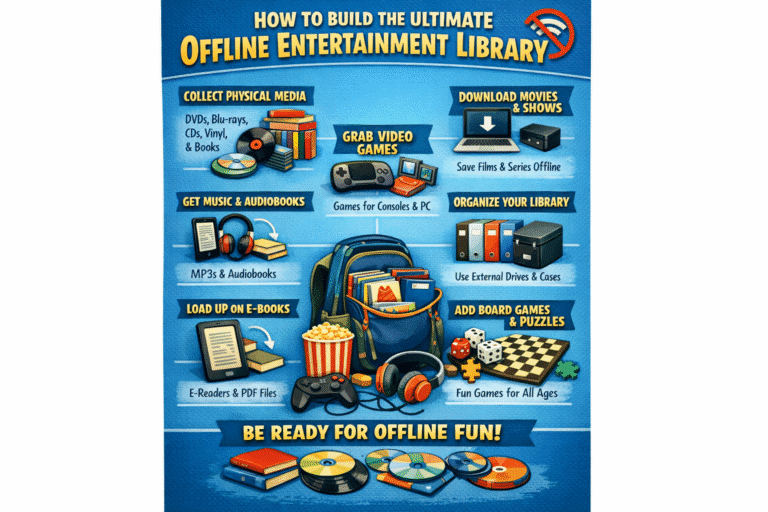
This guide shows you how to build your own ultimate offline entertainment library. Not a piracy operation, but a legitimate, organized, accessible collection of media you actually own. The freedom this provides—watching what you want, when you want, how you want—is worth the investment many times over.
Defining Your Offline Entertainment Goals
Your library should reflect your specific needs.
Content Types and Priorities
Begin with inventory of what you actually consume:
- Movies: Genre preferences, rewatchability, family vs. adult content
- TV Series: Completed series vs. ongoing, binge-watch vs. episodic
- Music: Genre diversity, discovery vs. favorites, quality requirements
- Audiobooks: Fiction vs. nonfiction, narrator preferences, length tolerance
- Podcasts: Archival value, educational content, entertainment series
- Personal media: Home videos, photos, scanned documents
Prioritize based on consumption frequency and emotional value. A movie watched annually justifies inclusion; one watched once probably doesn’t.
Scale and Scope Considerations
Realistic assessment prevents overwhelm:
| Library Tier | Movie Count | TV Series | Music Tracks | Storage Required |
|---|---|---|---|---|
| Starter | 100-200 | 10-20 | 5,000-10,000 | 2-4 TB |
| Enthusiast | 500-1,000 | 50-100 | 20,000-50,000 | 8-16 TB |
| Comprehensive | 2,000+ | 200+ | 100,000+ | 32-64 TB |
Start conservatively; expansion is easier than curation.
Access Patterns and Use Cases
How will you actually use the library?
- Home theater: 4K HDR quality, surround sound, dedicated viewing
- Mobile travel: Compressed quality, sync to devices, offline flights
- Background audio: Music and podcasts, lower quality acceptable
- Family sharing: Multiple simultaneous streams, parental controls
- Archival preservation: Original quality, long-term storage, rare content
Different use cases demand different technical approaches.
Budget and Resource Allocation
Realistic cost expectations:
- Storage hardware: $50-200 per TB depending on redundancy and performance
- Server/NAS: $200-1,000+ for dedicated hardware
- Content purchases: $5-20 per movie, $10-30 per series season, $1-2 per music album
- Software: Free (Jellyfin, Kodi) to $120/year (Plex Pass)
- Time investment: Significant ongoing curation and organization
A 1,000-movie library purchased at average $10 each represents $10,000 investment. Build gradually; sales and bundles reduce costs substantially.
Legal Foundations: Owning vs. Renting Content
Understanding what you actually possess.
Digital Purchase Platforms
Not all “purchases” are equal:Table
| Platform | Actual Ownership | DRM Status | Download Availability |
|---|---|---|---|
| iTunes/Apple TV | Licensed, revocable | FairPlay DRM | Limited, device-bound |
| Amazon Prime Video | Licensed, revocable | Amazon DRM | Limited, streaming-primary |
| Google Play Movies | Licensed, revocable | Widevine DRM | Limited, quality restricted |
| Kaleidescape | True purchase | Proprietary, persistent | Full quality, dedicated hardware |
| Direct digital retailers (Vudu, etc.) | Licensed, revocable | Various | Varies by title |
True ownership in digital video is rare. Most “purchases” are licenses revocable at platform discretion.
Physical Media Digitization
Blu-ray and DVD ownership provides legal basis for personal digital copies:
- Ripping software: MakeMKV (video), dBpoweramp (audio), Exact Audio Copy (CDs)
- Legal framework: Personal backup copies generally permitted in most jurisdictions; distribution prohibited
- Quality preservation: Blu-ray rips retain full quality; re-encodes reduce size but lose fidelity
- Organization: Ripped files become library foundation, originals stored as backup
Physical ownership + digitization offers strongest legal and practical position.
DRM and Ownership Realities
Digital Rights Management restricts legitimate use:
- Platform lock-in: Purchases tied to specific ecosystems
- Device limitations: Number of simultaneous plays, download devices
- Quality degradation: Streaming quality often below purchased “HD”
- Revocation risk: Platform closure or licensing loss removes access
Offline library building requires working within or around these restrictions legally.
Regional Availability and Workarounds
Content availability varies dramatically by country:
- VPN purchasing: Buy from regional stores where content is available
- Physical import: Import discs from other regions (player region-free modification sometimes required)
- Travel purchasing: Buy digital content while physically present in available regions
- Grey market: Reseller platforms for regional codes (legal status varies)
Storage Architecture: Building Your Media Server
Infrastructure determines library viability.
NAS vs. Direct-Attached Storage
Network Attached Storage (NAS)
- Dedicated appliance (Synology, QNAP, TrueNAS/FreeNAS builds)
- Network accessibility for all devices
- Built-in redundancy, backup features, power management
- Higher cost, complexity, power consumption
Direct-Attached Storage (DAS)
- USB or Thunderbolt external drives
- Simple connection to single computer
- Lower cost, easier setup, portable
- Limited sharing, single point of access
For multi-device households, NAS justifies investment. For single-user libraries, DAS suffices.
Capacity Planning and Scaling
Calculate current and projected needs:Table
| Content Type | Size per Unit | 1,000 Unit Library |
|---|---|---|
| 4K Movie (original) | 50-100 GB | 50-100 TB |
| 1080p Movie (compressed) | 5-10 GB | 5-10 TB |
| TV Episode (1080p) | 1-3 GB | 1-3 TB per 1,000 episodes |
| Music Album (FLAC) | 300-500 MB | 300-500 GB per 1,000 albums |
| Audiobook | 500 MB-2 GB | 500 GB-2 TB per 500 books |
Plan 50% expansion room; libraries grow faster than expected.
RAID and Redundancy Strategies
Protect against drive failure:Table
| RAID Level | Redundancy | Usable Capacity | Use Case |
|---|---|---|---|
| RAID 0 | None | 100% | Performance only, no protection |
| RAID 1 | 1 drive | 50% | Small libraries, maximum protection |
| RAID 5 | 1 drive | (n-1)/n | Balanced protection and capacity |
| RAID 6 | 2 drives | (n-2)/n | Large libraries, high protection |
| RAID 10 | 1 per mirror | 50% | Performance and protection, expensive |
| Unraid/SnapRAID | 1-2 parity | ~90% | Flexible, excellent for media |
For media libraries, Unraid or RAID 6 provides optimal protection against double-drive failure during rebuild.
SSD vs. HDD Trade-offsTable
| Factor | SSD | HDD |
|---|---|---|
| Cost per TB | $80-150 | $15-25 |
| Speed | 500-7,000 MB/s | 150-250 MB/s |
| Power | Low | Moderate |
| Noise | Silent | Audible seek noise |
| Reliability | Limited write endurance | Proven long-term storage |
| Best use | Transcoding cache, metadata | Bulk media storage |
Hybrid approaches: SSD for operating system, applications, and active content; HDD for archival media storage.
The Plex Ecosystem: Media Organization and Streaming
The dominant solution for good reason.
Plex Media Server Setup
Installation and configuration:
- Hardware selection: Dedicated NAS, old computer, or Shield TV Pro
- Software installation: Download from plex.tv for your platform
- Library creation: Movies, TV Shows, Music, Photos, Other Videos
- Folder structure: Organized directories Plex scans automatically
- Remote access: Port forwarding or Plex Relay for external streaming
Minimum server requirements: Intel Core i3 or equivalent, 4GB RAM, Gigabit network for 4K streaming.
Library Organization Best Practices
Folder structure that works:
plain
Copy
/Media
  /Movies
    /Movie Name (Year)
      Movie Name (Year) - 1080p.ext
  /TV Shows
    /Series Name
      /Season 01
        Series Name - S01E01 - Episode Title.ext
  /Music
    /Artist Name
      /Album Name
        01 - Track Title.ext
Consistent naming enables automatic metadata matching.
Metadata and Artwork Management
Plex automatically retrieves:
- Movie: Posters, backdrops, cast, crew, ratings, descriptions
- TV: Episode summaries, air dates, season artwork
- Music: Album art, artist photos, track listings, lyrics
Manual correction for mismatches: Edit > Fix Match > Select correct entry. Agent configuration (Settings > Agents) prioritizes metadata sources.
Mobile Sync and Offline Viewing
Plex Pass feature for device content:
- Sync selection: Individual items or playlists
- Quality selection: Original, 20 Mbps, 12 Mbps, 4 Mbps, 2 Mbps
- Auto-sync: New episodes automatically downloaded
- Storage management: Automatic deletion of watched content
Essential for travel and connectivity-limited situations.
Alternative Media Server Options
Plex isn’t the only choice.
Jellyfin: The Open-Source Alternative
- Cost: Completely free, no premium tier
- Philosophy: True open source, no corporate control
- Features: Comparable to Plex core functionality
- Clients: Web, mobile apps, TV platforms (less polished than Plex)
- Development: Community-driven, rapid improvement
Ideal for users prioritizing cost and avoiding subscription models.
Emby: Feature-Rich Competitor
- History: Originally open source, now proprietary
- Features: Strong live TV/DVR, similar to Plex
- Pricing: Subscription for advanced features
- Positioning: Between Plex polish and Jellyfin openness
Viable alternative with specific strengths in live TV integration.
Kodi: Standalone Media Center
- Nature: Application, not server; runs on playback device
- Library: Local or network file browsing, metadata scraping
- Customization: Extreme flexibility, skins, addons
- Complexity: Steeper learning curve, manual configuration
Best for single-device setups or users wanting maximum control.
Comparison and Selection CriteriaTable
| Factor | Plex | Jellyfin | Emby | Kodi |
|---|---|---|---|---|
| Cost | Freemium | Free | Freemium | Free |
| Ease of use | Excellent | Good | Good | Moderate |
| Client availability | Excellent | Good | Good | Moderate |
| Live TV/DVR | Excellent (Pass) | Good | Excellent | Good |
| Music features | Good | Moderate | Good | Excellent |
| Photo management | Good | Basic | Basic | Good |
| Plugin ecosystem | Extensive | Growing | Moderate | Extensive |
Plex for convenience and polish. Jellyfin for cost and philosophy. Kodi for control and customization.
Content Acquisition Strategies
Building your collection legally and efficiently.
Digital Purchase Optimization
Maximize value and ownership:
- Sales tracking: CheapCharts, JustWatch monitor price drops
- Bundle purchasing: Studio collections, complete series discounts
- Cross-platform: Movies Anywhere links purchases across iTunes, Amazon, Google, Vudu
- Quality selection: Buy 4K when available; often same price as HD, upgrades free
- Regional arbitrage: Purchase from cheaper regional stores (legal with VPN)
Blu-ray and DVD Ripping Workflows
Physical to digital conversion:
Hardware
- Drive: LG WH16NS40 or equivalent (4K UHD friendly)
- Connection: Internal SATA or external USB 3.0
- Speed: 2-5x real-time for Blu-ray, faster for DVD
Software
- MakeMKV: Rip discs to MKV containers (video, audio, subtitle tracks)
- HandBrake: Transcode to smaller files (optional, quality trade-off)
- FileBot: Automated renaming and organization
Process
- Insert disc, open MakeMKV
- Select titles (main feature vs. extras)
- Choose audio/subtitle tracks to retain
- Rip to staging folder
- Rename and move to library structure
- Verify in media server, correct metadata if needed
Quality preservation: Direct MakeMKV rips retain original quality; 25-50GB per 4K movie, 4-8GB per 1080p movie.
CD Ripping and Music Management
Archival-quality audio extraction:
Software
- Exact Audio Copy (EAC): Windows, gold standard for accuracy
- dBpoweramp: Cross-platform, excellent metadata, multiple formats
- X Lossless Decoder (XLD): Mac alternative
Settings
- Format: FLAC for archival (lossless compression)
- Compression: Level 5 (balance of size and speed)
- Verification: AccurateRip comparison ensures perfect extraction
- Metadata: Freedb, MusicBrainz for track identification
Organization
- Folder: /Music/Artist/Album/Track.ext
- Tagging: Consistent artist, album, track, year, genre fields
- Artwork: Embedded 1000x1000px minimum
Podcast and Audiobook Archiving
Episodic content preservation:
Podcasts
- Download tools: gPodder, Podcast Addict export, direct RSS
- Format: MP3 typically, varying quality
- Organization: /Podcasts/Show Name/YYYY-MM-DD – Episode Title.mp3
- Challenge: Discovery vs. archival; most podcasts ephemeral
Audiobooks
- Sources: Purchased downloads, CD ripping, library loans (limited retention)
- Format: M4B (chapters, bookmarks) or MP3
- Management: Separate library section, narrator metadata, series organization
- Tools: OpenAudible for Audible management (personal use), m4b-tools for creation
Format Standards and Transcoding
Technical decisions affect quality and compatibility.
Video Codecs (H.264, H.265, AV1)Table
| Codec | Efficiency | Hardware Support | Best Use |
|---|---|---|---|
| H.264 (AVC) | Baseline | Universal | Compatibility, older devices |
| H.265 (HEVC) | 50% smaller than H.264 | Good in recent devices | 4K storage efficiency |
| AV1 | 30% smaller than H.265 | Emerging (2020+ devices) | Future-proofing, streaming |
| VP9 | Similar to H.265 | Good (Google devices) | YouTube, web content |
Archival strategy: Original quality rips in H.264 or H.265; transcoded copies for mobile in H.264; AV1 for new acquisitions as support expands.
Audio Formats and Quality TiersTable
| Format | Compression | Use Case |
|---|---|---|
| FLAC | Lossless | Archival, home listening |
| ALAC | Lossless | Apple ecosystem compatibility |
| AAC 256kbps | Transparent | Mobile, streaming quality equivalent |
| MP3 320kbps | Transparent | Universal compatibility |
| Opus | Superior to MP3 | Streaming, voice content |
Music library: FLAC for collection, AAC for mobile sync. Audiobooks: Opus or AAC for efficiency.
When Transcoding Is Necessary
Conversion scenarios:
- Compatibility: Device doesn’t support original codec
- Bandwidth: Remote streaming requires lower bitrate
- Storage: Mobile sync needs smaller files
- Quality: Source exceeds display capability (4K to 1080p for HD tablet)
Hardware Acceleration Benefits
Modern processors include dedicated media encoding/decoding:
- Intel Quick Sync: Excellent H.264/H.265 encoding
- Nvidia NVENC: GPU-accelerated encoding, multiple streams
- Apple Silicon: Outstanding efficiency for all codecs
Hardware transcoding enables real-time format conversion without CPU burden, essential for multiple simultaneous streams.
Mobile and Portable Access
Library utility extends beyond home.
Sync Strategies for Phones and Tablets
Plex Sync (Plex Pass required)
- Select content for offline availability
- Automatic download when on home Wi-Fi
- Quality selection balances storage and viewing experience
- Auto-delete after viewing (optional)
Manual Transfer
- USB cable or SD card for bulk transfer
- File management apps organize content
- VLC, Infuse, or dedicated apps for playback
- No server required for playback
Cloud Storage Bridge
- Google Drive, Dropbox, iCloud for limited collections
- Streaming from cloud with local cache
- Bandwidth and storage cost trade-offs
Laptop Media Libraries
Portable computer as mobile server:
- External SSD: 2-4TB bus-powered drives
- Plex/Jellyfin: Run server locally for hotel/airplane streaming
- Direct playback: VLC, IINA, Pot Player for file browsing
- Sync tools: Resilio Sync, Syncthing for automated library updates
Portable Hard Drive Solutions
Dumb storage for universal access:
- 2.5″ USB drives: 5TB maximum, bus-powered, widely compatible
- Organization: Same folder structure as main library
- Playback: Any device with USB and file browser
- Limitations: No metadata, manual navigation
Ideal for travel to locations with unknown connectivity or device capabilities.
In-Vehicle Entertainment Systems
Car integration options:
- USB connection: Direct drive connection to head unit
- DLNA server: Phone as server, car Wi-Fi as client
- Tablet mounting: Dedicated device with synced content
- Rear seat screens: Android tablets with offline Netflix, Plex sync
The Unofficial Content Question
Addressing the elephant in the room.
Understanding Piracy Risks
Unauthorized content acquisition:
- Legal exposure: Copyright infringement penalties vary by jurisdiction; commercial-scale distribution criminal
- Security risks: Malware distribution through torrents, Usenet, pirate sites
- Quality issues: Inconsistent encoding, mislabeled content, missing features
- Ethical considerations: Creator compensation, industry sustainability
The risks often exceed apparent benefits for users with means to purchase content.
Torrenting and Usenet Realities
Technical distribution methods:
Torrenting
- Public trackers: High risk, monitored, poor quality
- Private trackers: Curated, quality-focused, invitation-required
- VPN necessity: IP exposure without protection
- Ratio maintenance: Upload requirements for continued access
Usenet
- Provider required: Commercial access to distributed archive
- Indexer required: Search tools for content discovery
- Automation: Sonarr, Radarr for automated acquisition
- Retention: Content availability limited by provider storage
Both methods require technical sophistication, ongoing cost, and legal risk acceptance.
The Library Building Trap
Let me illustrate how unofficial acquisition endangers your goals. Imagine you’ve decided to build a comprehensive movie library quickly. Research suggests torrenting or Usenet enables rapid collection growth without purchase cost. You set up automation—Sonarr for TV, Radarr for movies—connected to a Usenet provider and indexer.
The system works. Your library grows exponentially: thousands of movies, complete series, music discographies. The organization is beautiful—Plex displays your collection with professional metadata, friends are impressed, and you feel accomplished.
But here’s the catastrophe unfolding invisibly. Your Usenet provider maintains logs. Your indexer is a law enforcement honeypot. Your automated downloads are tracked, cataloged, and analyzed. The “private” tracker you trusted has been compromised for months. Your VPN, purchased with a credit card, has logged your real IP despite “no-log” claims.
One morning, your ISP suspends service due to copyright complaints. A settlement demand arrives—thousands of dollars per infringed work, with evidence of thousands of works. Your NAS, seized in a legal action, contains not just downloaded content but proof of distribution through upload ratios and torrent client logs. The library you built becomes evidence in a case with statutory damages measured in hundreds of thousands or millions of dollars.
The automation that made building easy makes prosecution easier—timestamped records of every acquisition, organized proof of systematic infringement, no ambiguity about intent. What felt like personal collection building is framed as commercial-scale piracy.
Even if you escape legal action, the security risks manifest. The “scene release” that downloaded overnight contains ransomware that encrypts your entire library, demanding payment for decryption. The custom codec pack that enabled playback includes a keylogger capturing your banking credentials. The community you trusted turns out to be a social engineering operation harvesting personal information.
Your offline entertainment library—built for security and independence—becomes the vector of your financial and legal destruction. The content you acquired “for free” costs infinitely more than legitimate purchase would have.
The trap is effective because it exploits legitimate desires (comprehensive libraries, cost efficiency) through mechanisms that feel technically sophisticated and community-endorsed. The illegality is obvious in retrospect but obscured by technical complexity and social normalization during participation.
Legal Alternatives and Grey Areas
Content acquisition without clear piracy:
- Library digitization: Ripping personally owned physical media (legal in most jurisdictions for personal use)
- Abandonware: Content no longer commercially available, copyright technically valid but practically unenforced
- Creative Commons: Legally free content, often high quality (YouTube channels, independent creators)
- Public domain: Pre-1928 works, government productions, explicitly released content
- Personal creation: Home videos, recordings, photography—your own content belongs in library
Grey areas require personal ethical judgment and legal risk acceptance appropriate to your jurisdiction and circumstances.
Backup and Disaster Recovery
Protection against loss.
3-2-1 Backup Strategy Implementation
Industry standard for data protection:
- 3 copies of data: Primary, secondary backup, tertiary offsite
- 2 different media types: HDD and cloud, or HDD and tape
- 1 offsite copy: Physically separated from primary location
Implementation for media libraries:
- Primary: NAS RAID array (live library)
- Secondary: External HDD updated monthly (local backup)
- Tertiary: Cloud storage or remote physical location (offsite)
Cloud Backup Considerations
Uploading terabytes presents challenges:
- Bandwidth: Months for initial upload, ongoing sync
- Cost: Backblaze B2, Amazon S3 Glacier, Google Coldline—$5-10/TB/month
- Encryption: Client-side encryption essential; provider access unacceptable
- Recovery time: Days to download full library restoration
Viable for critical subset, not comprehensive library.
Offsite Storage Strategies
Physical separation without cloud:
- Rotated drives: Monthly swap with stored location (friend’s house, safe deposit box)
- Fireproof safe: Local but protected; limited capacity
- Secondary NAS: Remote location with sync (family member’s house)
Recovery Testing and Validation
Untested backups are hopeful assumptions:
- Quarterly restore tests: Random file recovery verification
- Checksum validation: Automated integrity checking detects bit rot
- Full disaster simulation: Annual complete restoration to verify process
Maintaining and Curating Your Library
Organization ensures usability.
Metadata Correction and Enhancement
Automated matching isn’t perfect:
- Manual correction: Edit > Fix Match for misidentified content
- Custom collections: Grouping by theme, director, actor, mood
- Tagging: Personal ratings, watch status, custom fields
- Artwork: Higher resolution posters, custom fan art
Duplicate Detection and Management
Library growth creates redundancy:
- Duplicate file finders: fdupes, dupeGuru, or built-in tools
- Quality comparison: Keep highest quality, archive or delete others
- Version management: Theatrical vs. extended cuts, remastered editions
- Storage reclamation: Automated deletion of confirmed duplicates
Content Rotation and Archival
Not all content deserves permanent retention:
- Watch-and-delete: Ephemeral content (news, talk shows, most TV)
- Archival tier: Cold storage for rarely accessed but valued content
- Active tier: Fast storage for frequently viewed favorites
- Curation schedule: Annual review, removal of unwatched additions
Library Growth Management
Prevent chaos as scale increases:
- Acquisition discipline: Quality over quantity; deliberate selection
- Storage monitoring: Alert at 80% capacity; expansion planning
- Performance maintenance: Database optimization, thumbnail regeneration
- Access audit: Review user viewing patterns; adjust acquisition to actual use
Advanced Features and Integrations
Extending library utility.
DVR and Live TV Recording
Integrate broadcast content:
- HDHomeRun: Network tuner for antenna or cable
- Plex DVR: Schedule recordings, commercial skip, library integration
- Channels DVR: Alternative with strong live TV interface
- TVHeadend: Open-source option for technical users
Recorded content joins on-demand library with unified interface.
Music Streaming Service Bridges
Combine owned and subscribed music:
- Spotify/Jellyfin integration: Playlist sync, gapless playback
- Tidal/Qobuz: High-quality streaming for discovery; purchase favorites for library
- Last.fm scrobbling: Unified listening history across sources
Audiobook and Ebook Integration
Beyond video and music:
- Audible integration: OpenAudible for library management
- Calibre: Ebook organization, conversion, server (Calibre-Web)
- Plex Audiobook: Plugin or separate library section
- Komga: Manga and comic book server
Photo and Personal Video Management
Family media integration:
- Immich: Self-hosted Google Photos alternative
- PhotoPrism: AI-powered photo organization
- Plex Photos: Basic integration; limited compared to dedicated tools
- Personal video: Home movies, events, travel—archival quality preservation
Future-Proofing Your Collection
Sustainable preservation.
Format Obsolescence Planning
Media formats become unreadable:
- Physical media degradation: Disc rot, magnetic tape deterioration
- Codec obsolescence: Proprietary formats abandoned (Windows Media, RealVideo)
- Container obsolescence: AVI, MKV evolution; future formats unknown
Mitigation: Store in widely supported formats (H.264, MKV, FLAC); maintain playable copies; migrate before obsolescence.
Codec Migration Strategies
Transcode before hardware support disappears:
- H.264 baseline: Universal compatibility for next decade
- H.265 migration: As hardware ages, transcode to H.264 for playback
- AV1 preparation: New acquisitions in AV1; maintain H.264 copies for compatibility
Storage Technology Evolution
Media evolves; plan transitions:
- HDD to SSD: Gradual replacement as SSD costs decline
- New interfaces: USB4, Thunderbolt, future standards
- Cloud integration: Hybrid approaches as bandwidth increases
Access Method Preservation
Interface longevity:
- Export metadata: NFO files, CSV databases independent of server software
- Plain file access: Maintain folder structures usable without server
- Documentation: README files explaining organization, sources, encoding decisions
Conclusion
Building the ultimate offline entertainment library is a journey of years, not weeks. The investment—financial, technical, temporal—is substantial. The reward is genuine ownership of your entertainment, independence from streaming service volatility, and the satisfaction of a curated collection reflecting your actual tastes rather than algorithmic suggestions.
This guide provides the foundation: storage architecture decisions, server software selection, content acquisition strategies, format standards, and maintenance practices. The specific implementation varies with your resources, technical skills, and content priorities. But the principles remain consistent—organization, redundancy, legality, and thoughtful curation.
The library you build becomes part of your digital legacy. Family photos, home videos, purchased films, and carefully collected music represent investment of attention and care that streaming subscriptions cannot replicate. The offline entertainment library is, ultimately, an expression of personal values and priorities made tangible in terabytes of carefully organized, lovingly maintained, truly owned content.
Frequently Asked Questions (FAQs)
Q1: How much should I budget for a starter offline entertainment library?
Initial infrastructure: $300-500 for NAS or server, $200-400 for initial storage (4-8TB). Content acquisition: $500-1,000 for 100-200 purchased movies, or time investment for physical media digitization. Ongoing: $100-200/year for storage expansion, new acquisitions. Total first-year realistic budget: $1,000-2,000 for meaningful library.
Q2: Is ripping my Blu-ray collection legal?
Jurisdiction-dependent. In the United States, personal backup copies of owned media are generally considered fair use, though circumvention of copy protection (DRM) technically violates DMCA. No personal-use enforcement has occurred. Distribution of ripped copies is unambiguously illegal. Consult local law for specific jurisdiction guidance.
Q3: What’s the minimum internet speed for building an offline library?
For content acquisition via purchase/download: 10 Mbps sufficient, 25 Mbps comfortable. For cloud backup of library: 25 Mbps upload minimum for terabyte-scale libraries; 100 Mbps+ preferred. For remote library access: 10 Mbps per simultaneous 4K stream. Physical media ripping requires no internet.
Q4: Should I prioritize 4K or stick with 1080p for my library?
For screens under 65 inches at normal viewing distances, 1080p is often indistinguishable from 4K. For large screens, projection, or close viewing, 4K matters. Storage cost: 4K requires 5-10x space. Recommendation: 1080p for most content, 4K for favorites and visually spectacular films. Re-rip or upgrade as storage costs decline.
Q5: How do I handle streaming service content that disappears from availability?
Proactive recording for truly valued content: DVR capture of streaming content (legal grey area, personal use defensible). Purchase physical media while available. Accept that some content is ephemeral; not everything deserves permanent preservation. Focus library building on content with enduring personal value rather than comprehensive capture of all viewed media.